At AlwaysLive24, our engineering mission is to deliver the world's most stable, zero-drop 24/7 cloud live streaming infrastructure for creators, broadcasters, and media brands. Today, we are announcing an important platform optimization to our Cloudflare R2 video storage quotas alongside substantial bare-metal server speed enhancements. This update ensures hyper-responsive video processing, zero transcoding bottlenecks, and guaranteed long-term platform stability.
Table of Contents
1 Updated Storage Quotas for New Subscriptions
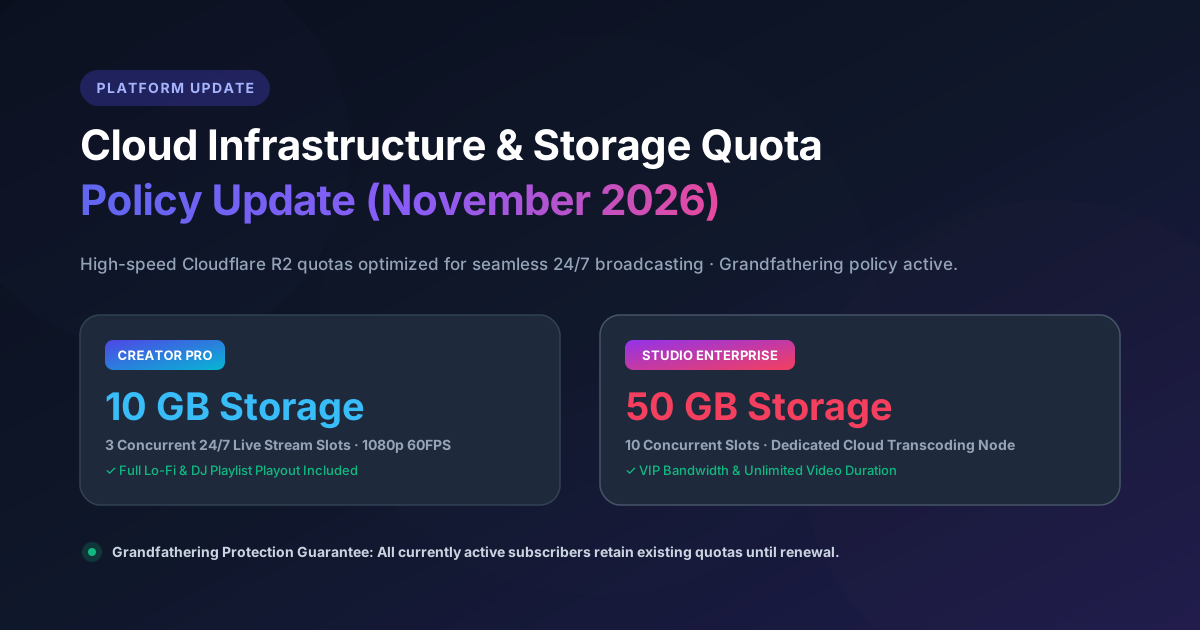
Effective immediately for all new purchases and future renewals, the Cloudflare R2 High-Speed Storage allocation for our subscription tiers has been streamlined as follows:
2 GB Storage
Cloudflare R2 High-Speed NVMe
- 1 concurrent 24/7 stream
- 720p HD broadcast quality
- Standard community support
10 GB Storage
Cloudflare R2 High-Speed NVMe
- 3 concurrent streams
- 1080p 60fps Full HD
- Multi-RTMP simulcasting
- ~6-8 hours of optimized 1080p video
50 GB Storage
Cloudflare R2 Dedicated High-Speed
- 10 concurrent streams
- 4K / 1080p ultra-high bitrate
- Multi-playlist scheduling
- ~30-40 hours of optimized video
2 Existing Active Subscriber Grandfathering Guarantee
Zero Disruption for Current Active Users
If you have an active paid subscription on AlwaysLive24, your storage limits will NOT be changed right now. You will continue to enjoy your full grandfathered quota (20 GB for Creator Pro, 100 GB for Studio Enterprise) throughout your existing paid validity period.
3 Bare-Metal Infrastructure Upgrades in USA Datacenter
Alongside our storage policy optimization, AlwaysLive24 has completed a major bare-metal migration to an enterprise-grade USA facility powered by AMD processors and Gen5 NVMe storage arrays.
Direct low-latency peering with YouTube RTMP ingestion points in North America, Europe, and Asia for zero packet-loss broadcasting.
Zero-memory-leak streaming worker architecture ensuring uninterrupted 365-day 24/7 continuous stream longevity.
4 How Much Video Fits in 10 GB & 50 GB?
Modern H.264 video encoding allows high visual fidelity at surprisingly modest file sizes. Here is a clear breakdown of how many hours of broadcast video you can store:
| Video Quality | Target Bitrate | Storage in 10 GB (Pro) | Storage in 50 GB (Enterprise) |
|---|---|---|---|
| 1080p Full HD (Standard) | 3,500 kbps | ~6.5 Hours | ~32 Hours |
| 1080p 60fps (High Motion) | 4,500 kbps | ~5.1 Hours | ~25 Hours |
| 720p HD (Efficient) | 2,200 kbps | ~10.5 Hours | ~52 Hours |
| Music / Lofi Radio (Static Visual) | 1,800 kbps | ~12.8 Hours | ~64 Hours |
5 Encoding Best Practices to Maximize Your Storage Quota
To get the absolute best visual fidelity while saving disk space, follow these simple encoding guidelines before uploading your pre-recorded video:
1. Use Standard H.264 (AVC) + AAC in MP4 Container
AlwaysLive24 streams H.264 files directly in copy mode (zero transcoding load), which guarantees 100% crystal-clear original video quality with zero CPU overhead.
2. Keep Bitrates Sensible (3,500 – 4,500 kbps)
YouTube and Facebook compress incoming streams automatically. Streaming higher than 5,000 kbps does not improve viewer perception for 1080p, but consumes 2x more storage.
3. Delete Unused Media Files Regularly
Inside your AlwaysLive24 User Dashboard, check the Media Gallery tab to delete old files from completed campaigns and free up immediate R2 storage quota.
6 Frequently Asked Questions (FAQ)
Will my running 24/7 live stream stop or disconnect?
No. Absolutely not. This update is purely a policy and storage quota adjustment. All active live broadcasts remain completely uninterrupted with 100% uptime.
I currently have Creator Pro with 20 GB. Did my quota drop?
No. Your active subscription retains its full 20 GB quota for the entire duration of your current paid validity period. When your plan expires and you renew, the 10 GB allocation will apply.
Can I purchase additional storage if I need more than 50 GB?
Yes. Enterprise clients and multichannel networks requiring 100 GB+ dedicated storage and 10+ concurrent streams can contact AlwaysLive24 Support for tailored high-capacity enterprise packages.
Ready to Broadcast 24/7 with Zero Hassle?
Experience lightning-fast cloud playout, automated looping, and multi-platform streaming on AlwaysLive24 today.
View Updated Plans & Pricing →