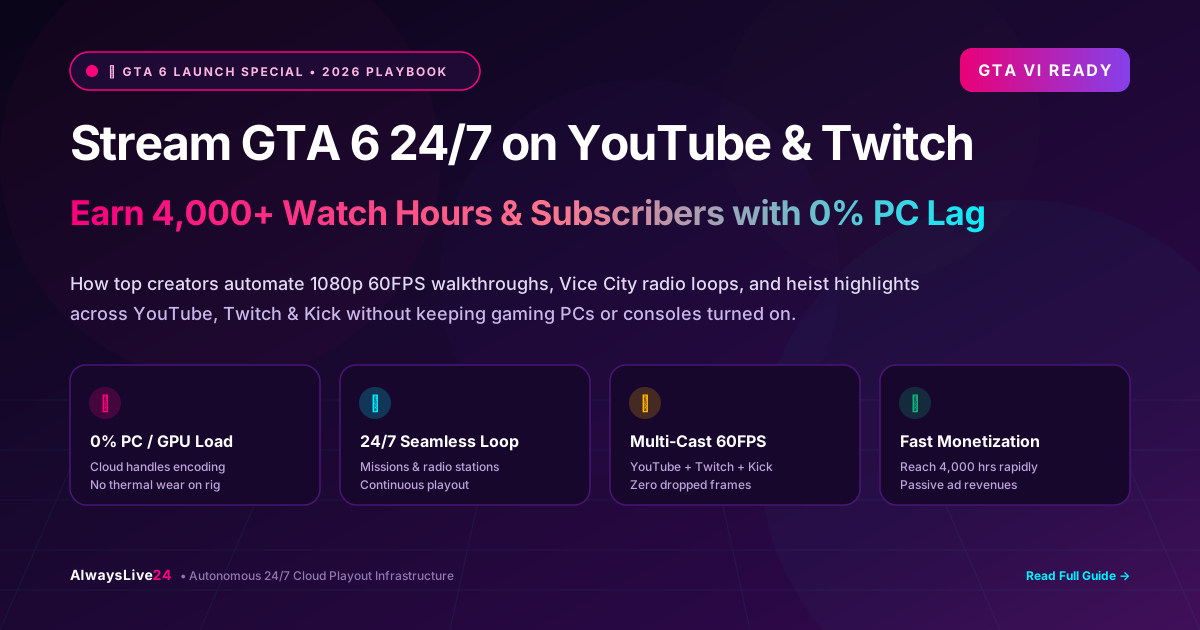
The launch of Grand Theft Auto VI (GTA 6) has triggered the biggest gaming entertainment event in digital history. Tens of millions of viewers are scouring YouTube Gaming, Twitch, and Kick around the clock for gameplay, mission walkthroughs, secret easter eggs, and Vice City radio vibes. Savvy gaming creators aren't just streaming live while playing—they are running automated 24/7 cloud live streams to accumulate thousands of watch hours, gain hundreds of subscribers daily, and generate passive AdSense revenue while they sleep.
Table of Contents
- The GTA 6 Viewership Explosion: Why 24/7 Streams Dominate
- The OBS Trap: Why Running 24/7 on Your Gaming Rig Kills Your Hardware
- The Cloud Playout Solution: 0% PC Usage & Zero Dropped Frames
- Top 5 High-Retention GTA 6 24/7 Stream Formats
- Step-by-Step Tutorial: Setting Up Your GTA 6 Stream in 3 Minutes
- Monetization, Copyright & Music Safety Guidelines
- Frequently Asked Questions (FAQ)
1 The GTA 6 Viewership Explosion: Why 24/7 Streams Dominate
Whenever Rockstar Games releases a major blockbuster, the gaming ecosystem shifts completely. With GTA 6 set in the fictional state of Leonida (Vice City and beyond), the scale of open-world content is unparalleled. Viewers in North America, Europe, Latin America, and Asia have staggered time zones, meaning prime-time gaming hours in one region coincide with off-hours in another.
Channels that stream for just 2 to 3 hours a day miss out on more than 85% of global traffic. By turning your recorded gameplay sessions into continuous 24/7 live broadcasts, your channel remains at the very top of YouTube Gaming's live recommendation carousel 24 hours a day.
Achievable in as little as 10 to 14 days with 24/7 gameplay loops.
YouTube pushes active live streams directly to browse and suggested feeds.
Simultaneously broadcast to YouTube + Twitch + Kick with 1 stream key.
2 The OBS Trap: Why Running 24/7 on Your Gaming Rig Kills Your Hardware
Most beginners try to run continuous streams using OBS Studio or Streamlabs running on their personal gaming PC or laptop. While this seems convenient at first, running software encoding 24 hours a day quickly reveals catastrophic bottlenecks:
| Feature / Factor | Local OBS on Gaming PC | AlwaysLive24 Cloud Playout |
|---|---|---|
| PC / GPU Load | 80% - 100% constant GPU/CPU usage | 0% (Runs completely on cloud servers) |
| Electricity & Hardware Wear | High thermal wear, fan noise, heavy electric bill | Zero hardware wear; PC can stay powered off |
| Internet Connection Reliance | Stream dies if home Wi-Fi drops for 5 seconds | 10 Gbps Tier-1 datacenter backbone (99.9% uptime) |
| Simultaneous Gaming | Severe frame drops and stuttering while playing | Play games at maximum FPS with zero background lag |
| Multi-Destination Casting | Requires 3x upload bandwidth (YouTube + Twitch + Kick) | Built-in multi-destination casting at zero extra bandwidth |
3 The Cloud Playout Solution: 0% PC Usage & Zero Dropped Frames
With AlwaysLive24, cloud live streaming works like an automated broadcast television station:
- Upload Gameplay Once: Upload your recorded GTA 6 missions, heists, or free-roam clips directly to high-speed Cloudflare R2 storage, or simply paste a Google Drive / YouTube video link.
- Hardware Accelerated Passthrough: Our enterprise bare-metal AMD Ryzen servers in Dallas take your pre-recorded MP4 and remux it into a pristine RTMP stream at 1080p 60FPS with zero re-encoding loss.
- Autonomous Auto-Loop: When the video ends, the stream seamlessly loops from the beginning with sub-frame accuracy, so your audience experiences a broadcast that never stutters or disconnects.
- Turn Off Your PC: The moment you hit "Start Stream", the cloud server takes ownership. You can shut down your computer, go to sleep, or play other games.
4 Top 5 High-Retention GTA 6 24/7 Stream Formats
Not all gameplay loops perform equally. Here are the 5 content formats currently pulling the highest average view duration (AVD) and subscriber conversion rates in 2026:
Full Story Mode & Main Mission Walkthrough Loop
Record your progression through the initial chapters of Lucia and Jason's storyline (3 to 6 hours of high-definition gameplay). Run it on an endless loop with descriptive on-screen chapters. Players stuck on difficult missions will watch the stream to see how you passed tough objectives.
Vice City Night Drive & Ambient Radio Vibes (Lofi / Synthwave)
Cruising through neon-lit Ocean Drive, Venetian Islands, and Vice City swamps during rain and sunset. When paired with custom copyright-free synthwave or in-game ambient audio, these streams become massive hits for background study music and relaxation.
Secret Easter Eggs, Weapon Stashes & Supercar Locations
A curated playlist of short 2-minute clips showing where to find rare supercars, military hardware, hidden collectibles, and mythical locations across Leonida. The quick pacing and high information density keep chat vibrant and active.
4K 60FPS Pure Gameplay (No Commentary, Ultra Realistic Graphics)
Many gaming fans don't own high-end hardware or latest generation consoles yet. They want to experience GTA 6's ray tracing, water physics, and crowd AI without commentator voiceovers. These "benchmark" streams pull massive international viewership.
GTA 6 Heist Highlights & Five-Star Police Chases
High-adrenaline action sequences: chaotic police chases through the Port of Vice City, helicopter escapes, and successful bank heists. The unpredictable action drives viral shares across social communities.
5 Step-by-Step Tutorial: Setting Up Your GTA 6 Stream in 3 Minutes
Setting up a 24/7 cloud live broadcast on AlwaysLive24 takes less than 3 minutes and requires no technical knowledge:
Add Video Source
Upload your recorded GTA 6 MP4 directly to your Cloudflare R2 gallery, or paste a Google Drive / YouTube video link into the Remote URL tab.
Enter RTMP Credentials
Copy your Stream Key from YouTube Studio Live, Twitch Creator Dashboard, or Kick Settings, and paste it into the Stream Key field.
Enable Auto-Loop & Branding
Toggle Loop Video 24/7 to ON. Add your channel logo or "Subscribe for more GTA 6" watermark png in the top-right corner.
Click Go Live
Hit Start Live Stream. Our Dallas cloud server instantly begins broadcasting at 60FPS. You can safely close your browser or turn off your computer.
6 Monetization, Copyright & Music Safety Guidelines
To ensure your channel thrives and stays in 100% good standing with YouTube, Twitch, and Rockstar Games, follow these best practices:
- Toggle "Streamer Mode" / Turn Off Licensed In-Game Music: GTA radio stations contain licensed top-40 pop, hip-hop, and rock tracks that trigger automated YouTube Content ID claims. In GTA 6's audio settings, enable "Streamer Friendly Audio" or mute the radio and add copyright-free lofi/chill synth beats using AlwaysLive24's audio overlay.
- Add Meaningful Value (Avoid Raw Stagnant Loops): YouTube loves long-form live streams, but avoid looping a 30-second glitch clip. Use comprehensive 1 to 4 hour gameplay loops, add custom watermarks, progress indicators, or chapter commentary.
- Multi-Streaming Rules: Twitch now permits simultaneous multi-streaming to YouTube and Kick for non-exclusive affiliates and partners, as long as Twitch chat is not degraded. AlwaysLive24 supports broadcasting to all 3 platforms at the same time.
7 Frequently Asked Questions (FAQ)
Can I turn off my PC while streaming GTA 6 24/7?
Yes! AlwaysLive24 runs 100% on cloud bare-metal infrastructure. Once your stream is started, our server maintains the RTMP connection with YouTube/Twitch indefinitely. You do not need any hardware running locally.
What video resolution and frame rate are supported?
AlwaysLive24 supports full 1080p Full HD at 60FPS. With our passthrough stream mode, video bitrate is preserved with zero transcoding artifacts, giving your viewers broadcast-quality smoothness.
Will 24/7 live streams count toward the 4,000 YouTube watch hours?
Yes! All public watch hours accumulated during live streams count directly toward the YouTube Partner Program (YPP) 4,000-hour threshold, making 24/7 live streaming the fastest method to monetize a gaming channel.
Ready to Launch Your 24/7 GTA 6 Cloud Stream?
Stop stressing your gaming GPU. Upload your gameplay once and let AlwaysLive24 broadcast to YouTube, Twitch, and Kick 24 hours a day with zero downtime.