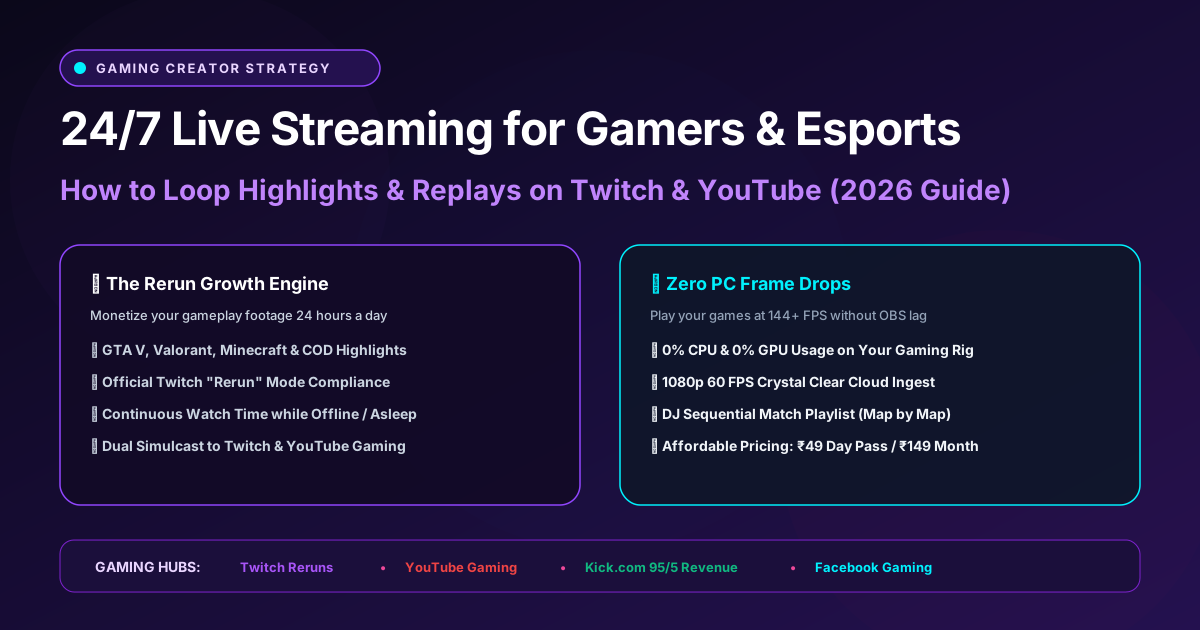
For gaming creators, building an audience is an endurance battle. Top esports channels and streamers don't let their channels sit dark for 16 hours a day while they sleep. Instead, they broadcast 24/7 gaming reruns, tournament vods, clutch highlight montages, and speedrun compilations on an infinite loop.
Running OBS Studio in the background while playing demanding AAA titles (like GTA V, Valorant, or Call of Duty) slashes your in-game frame rates and overheats your GPU. With AlwaysLive24, you offload all streaming tasks to dedicated high-performance cloud servers—keeping your gaming rig at 100% full FPS while your channel broadcasts non-stop.
1 The Twitch "Rerun" Mode & YouTube Gaming Advantage
Both Twitch and YouTube officially encourage creators to broadcast reruns and highlight reels:
Twitch provides an official "Rerun" stream tag. When streaming through AlwaysLive24, simply enable the Rerun badge. Your channel remains live in the Twitch directory, gathering ad impressions, bits, and new follower alerts while you sleep.
YouTube's Gaming hub features a dedicated "Live Now" carousel for specific game titles. A 24/7 stream of your top clutch moments ensures your channel stays permanently featured at the top of game directories.
2 DJ Sequential Match Playlist for Gaming Episodes
Instead of playing just one match on repeat, AlwaysLive24’s DJ Multi-File Sequential Playout Engine allows you to queue up individual match recordings in sequence:
Example Gaming Playout Schedule:
- Track 1: Match 1 — Ranked Placement Clutch (25 mins)
- Track 2: Match 2 — High Kill Solo Win (32 mins)
- Track 3: Match 3 — Tournament Semifinals (45 mins)
- Track 4: Funny Moments & Fails Compilation (15 mins)
→ Automatically loops back to Track 1 gaplessly with 0% dropped frames!
Level Up Your Gaming Channel 24/7
Stream your highlights simultaneously to Twitch, YouTube Gaming, and Kick with zero impact on your gaming rig's FPS. Plans start at ₹49 ($1.99) Day Pass and ₹149 ($9.99/mo) Creator Pro.